TL;DR
Learn how a HIPAA compliant virtual assistant supports dental front-office and revenue-cycle workflows without exposing your practice to avoidable privacy risk.
Use a practical framework for task delegation, access control, SOP governance, and quality assurance in US dental offices.
Follow a 30-60-90 rollout model with KPI tracking so your team improves schedule reliability, patient communication, and administrative throughput.
Table of Contents
- Introduction
- What is a HIPAA compliant virtual assistant for a dental practice, and what should the role actually do?
- Is a remote dental model with a HIPAA compliant virtual assistant legally workable in the US?
- Which workflows should a dental office delegate first to a HIPAA compliant virtual assistant?
- How much does a HIPAA compliant virtual assistant cost for dental practices, and what ROI should owners expect?
- How do you onboard and manage a HIPAA compliant virtual assistant in the first 90 days?
- Final Thoughts
Introduction
A HIPAA compliant virtual assistant can help dental practices solve a common growth bottleneck: administrative volume that expands faster than local front-office capacity. If your team is evaluating remote support, start with your broader service context at /industries/dental. Most offices do not have a care-quality problem. They have an execution-density problem. Calls, confirmations, insurance checks, treatment-plan follow-up, records coordination, and recall campaigns all compete for the same people at the same hours.
Use this guide to design role boundaries that are practical, measurable, and defensible. The core point is simple: compliance and efficiency can coexist when the role is built as a controlled operating function rather than ad hoc overflow help.
This article follows a PAA-first format around five high-intent buyer questions. You will see what the role should own, how to approach HIPAA governance in real terms, what to delegate first, how to model ROI, and how to run a 30-60-90 launch without creating quality drift. For adjacent implementation detail, pair this guide with Dental Virtual Assistant Guide for US Practices, Dental Virtual Assistant Playbook for US Practices, Dental Virtual Receptionist Guide for US Practices, Dental Billing Virtual Assistant Guide for US Practices, Dental Insurance Verification Virtual Assistant Guide, and HIPAA Virtual Assistant Compliance Guide for US Clinics.
Recommendations in this guide are anchored to reputable sources including HHS HIPAA resources, HHS Business Associate guidance, HHS Security Rule guidance, OCR compliance and enforcement resources, CDC Oral Health, CMS Oral Health, and BLS occupation data.
What is a HIPAA compliant virtual assistant for a dental practice, and what should the role actually do?
Snippet answer: A HIPAA compliant virtual assistant in dentistry is a remote administrative operator who executes repeatable, non-clinical workflows inside explicit privacy and security controls, with clear SOPs, least-privilege access, and escalation boundaries owned by the practice.
Many offices treat this role as generic “front-office help.” That framing usually causes mismatch and rework. The role should not be defined by personality. It should be defined by workflow ownership, output standards, and risk boundaries.
A strong HIPAA compliant virtual assistant model in dental practices usually owns these lanes:
- Appointment confirmations, rescheduling support, and recall outreach.
- New-patient inquiry intake and non-clinical pre-visit coordination.
- Insurance-related data collection and status follow-up under office SOPs.
- Inbox triage and callback queue management.
- Treatment-plan reminder workflows using approved scripts.
- Documentation hygiene in designated fields of your practice system.
This is where teams get leverage. The assistant can keep execution cadence steady while in-office staff focus on patient-facing service and clinical flow.
What the role should not do
A HIPAA compliant virtual assistant should not own clinical judgment or decisions that require licensed interpretation. Keep these responsibilities in-office:
- Diagnosis and treatment recommendations.
- Clinical triage decisions beyond approved script pathways.
- Exception handling with legal or payer-contract ambiguity.
- High-discretion patient conflict resolution involving policy exceptions.
These boundaries protect both patient safety and compliance posture.
Why dentistry is a strong fit for this role
Dental operations contain many high-frequency, rules-based tasks. That combination is exactly where remote support works best when governed correctly. The office often struggles not because tasks are hard, but because too many time-sensitive tasks happen at once.
When one person is expected to answer phones, check in patients, verify insurance details, and handle treatment follow-up simultaneously, quality variance becomes predictable. A lane-based virtual role reduces context switching.
Output model to define before hiring
Define “done” before launch. For each delegated workflow, specify:
- Required fields and acceptable completion criteria.
- Allowed script language and prohibited statements.
- Turnaround-time target and daily volume target.
- Escalation trigger for exceptions.
- QA sample rate and feedback path.
Without this operating definition, performance depends on improvisation and your compliance risk increases.
Daily operating rhythm that works
Most dental offices do well with a simple, repeatable rhythm:
- Morning queue: unresolved prior-day items and next-day prep.
- Midday checkpoint: blockers needing office decisions.
- Afternoon closeout: completion summary, exceptions, and next-day risks.
This rhythm improves visibility without turning management into a reporting burden.
Role fit signals during hiring
Look for process reliability first. Strong candidates can explain how they handle SOP adherence, documentation quality, and escalation discipline. Confidence on calls is useful, but consistency under rules is more important in HIPAA-sensitive operations.
You can cross-reference role architecture with Virtual Medical Assistant Services for US Clinics and Healthcare Virtual Assistant Playbook for US Practices to keep delegation logic consistent across healthcare-facing functions.
Is a remote dental model with a HIPAA compliant virtual assistant legally workable in the US?
Snippet answer: Yes, a remote dental support model can be legally workable and HIPAA-aligned when your practice enforces formal governance controls such as documented role scope, Business Associate requirements where applicable, least-privilege access, approved communication channels, training records, and recurring audits.
The practical compliance question is not “remote or in-office.” The real question is “do we have a defensible control system?” HIPAA expectations center on administrative, technical, and physical safeguards. Geography alone does not decide compliance quality.
Primary policy anchors include:
- HHS HIPAA for Professionals
- HIPAA Privacy Rule guidance
- HIPAA Security Rule guidance
- HHS Business Associate guidance
- OCR enforcement overview
Minimum control stack before go-live
Before your HIPAA compliant virtual assistant touches live workflow, complete this baseline:
- Written role charter with allowed and prohibited tasks.
- Unique account credentials and mandatory MFA.
- Least-privilege system permissions by workflow lane.
- Approved channels only for patient communication.
- Signed agreements and required acknowledgements.
- SOP documentation with version control.
- Incident reporting workflow and response ownership.
- Scheduled QA and access-review cadence.
This is not bureaucracy. It is operational risk control.
Common compliance mistakes in dental offices
Even strong teams make preventable errors when scaling quickly:
- Shared logins for convenience.
- Script drift in patient communication.
- Informal messaging outside approved systems.
- Overly broad access granted “temporarily.”
- Weak offboarding steps after role changes.
Each item is manageable with explicit policy and weekly oversight.
Business Associate and contract clarity
Offices often ask whether they need a BAA with a provider arrangement. The answer depends on how services are structured and whether PHI is created, received, maintained, or transmitted on behalf of the covered entity. Legal counsel should confirm final contract posture for your specific model.
The operating takeaway is straightforward: if PHI-touching workflows are in scope, contract and control standards should reflect that reality from day one.
Security posture in practical terms
Security does not require exotic tooling to start. It requires discipline:
- Role-based permissions with periodic access review.
- Device and session controls suitable for your environment.
- No local storage of protected records unless explicitly governed.
- Audit logs for key workflow actions.
- Immediate credential revocation on offboarding.
You can also map your governance language to NIST Cybersecurity Framework concepts for clearer internal accountability and vendor review.
What leaders should monitor weekly
Compliance should be measured like operations, not treated as a one-time checklist. Review:
- Access exceptions and permission changes.
- QA findings from sampled interactions.
- Incident reports and corrective action closure.
- Training completion and acknowledgement logs.
- Repeated process deviations by workflow lane.
This cadence catches drift early while costs are still low.
Which workflows should a dental office delegate first to a HIPAA compliant virtual assistant?
Snippet answer: Start with high-volume, rules-based, non-clinical tasks that have clear SOPs and low judgment complexity, then expand gradually after quality and compliance metrics remain stable over multiple review cycles.
The fastest path to value is controlled sequencing. Teams that delegate everything at once usually create avoidable rework. Teams that phase scope based on lane readiness generally improve faster.
Phase 1: quick-win delegation (first 2 to 4 weeks)
Delegate workflows with predictable rules and direct throughput impact:
- Appointment confirmations and simple rescheduling coordination.
- Recall outreach for overdue hygiene or follow-up visits.
- New-patient inquiry intake and callback queue prep.
- Insurance pre-visit data collection checklists.
- Inbox triage and ticket categorization.
These tasks reduce front-desk pressure quickly and generate clear KPI movement.
Phase 2: controlled expansion (weeks 5 to 8)
After Phase 1 quality is stable, add moderate-complexity workflows:
- Prior-authorization status tracking and update logging.
- Treatment-plan reminder sequences under approved scripts.
- Claims follow-up support using defined escalation rules.
- Records request coordination under documented process.
Expansion only works if escalation boundaries remain strict.
Phase 3: mature lane ownership (weeks 9+)
Once SOP adherence and compliance QA are consistent, formalize lane ownership:
- Daily exception dashboard updates.
- Weekly trend reporting by workflow category.
- Script feedback loop for recurring patient friction points.
- SOP maintenance recommendations with owner approval.
At this stage, the assistant becomes a stable operations function, not reactive overflow.
Task filter before delegation
Use this five-question filter before assigning any new workflow:
- Is the task non-clinical and rules-based?
- Can success be defined with objective outputs?
- Is there an approved script or SOP?
- Can exceptions be escalated clearly?
- Can required access be limited to minimum necessary?
If any answer is no, redesign first. Do not delegate by urgency alone.
Scripts and escalation discipline
Most quality failures are communication failures. Maintain approved script libraries for:
- Confirmation and reminder calls.
- Recall and reactivation outreach.
- Insurance information requests.
- Status updates when payer response is pending.
- Escalation handoff language for complex issues.
When scripts and escalation paths are clear, patient experience stays consistent across channels.
Keep scope aligned across the dental cluster
If your team is deploying multiple roles, keep logic consistent across related guides so staff are not following conflicting instructions. Useful references include Dental Virtual Receptionist Guide for US Practices, Dental Billing Virtual Assistant Guide for US Practices, and Dental Insurance Verification Virtual Assistant Guide.
How much does a HIPAA compliant virtual assistant cost for dental practices, and what ROI should owners expect?
Snippet answer: Cost should be evaluated as total operating economics, not hourly rate alone; the best ROI usually comes from reduced schedule leakage, stronger insurance readiness, better patient follow-up consistency, and fewer administrative interruptions across 30-60-90 days.
Comparing providers by rate alone leads to false savings. A lower rate with weak process quality can be more expensive than a higher rate with reliable execution.
Build a realistic cost model
A practical cost model includes:
- Direct service or payroll cost.
- Onboarding and SOP build time.
- QA and management overhead.
- Tooling and security controls.
- Rework cost from errors or missed follow-up.
The goal is not lowest spend. It is highest reliable output per managed dollar.
Main ROI drivers in dental operations
A HIPAA compliant virtual assistant typically creates value through:
- Higher confirmation completion before appointment day.
- Lower same-day cancellation exposure due to stronger reminders.
- More recall reactivations from consistent outreach.
- Better insurance readiness and fewer day-of-service surprises.
- Reduced interruption load on local coordinators.
These gains improve both production stability and team experience.
KPI set to track from day one
Choose a small KPI set and review weekly:
- Confirmation completion rate for next-day schedule.
- Recall outreach volume and reactivation conversion.
- New inquiry response-time SLA attainment.
- Insurance-readiness completion before appointment day.
- Front-desk interruption count tied to missing prework.
- QA pass rate on sampled interactions.
If metrics improve while QA remains stable, scaling is justified.
30-60-90 financial view
A useful timeline for owners:
- Days 1 to 30: training cost, SOP tuning, and early throughput gains.
- Days 31 to 60: measurable reduction in avoidable admin friction.
- Days 61 to 90: compounding impact on schedule utilization and communication consistency.
Most practices should expect operational signal before full financial maturity.
How to avoid inflated ROI claims
Avoid models that credit all production change to the assistant role. Separate controllable admin improvements from broader demand factors like seasonality, doctor availability, and marketing shifts.
A fair attribution model compares pre-launch and post-launch KPI trends while accounting for appointment volume and provider availability.
External benchmarks for labor context
Use reputable benchmark context to avoid role mis-scoping: BLS dental assistants data, BLS medical records specialists, and BLS receptionists. These references help leaders keep expectations realistic and role boundaries clean.
How do you onboard and manage a HIPAA compliant virtual assistant in the first 90 days?
Snippet answer: Successful implementation depends on structured onboarding, lane-based SOP certification, weekly QA review, and KPI-led management across a 30-60-90 plan that expands scope only after quality is stable.
Hiring is the easy part. Operational integration is where results are won or lost.
Days 1 to 30: foundation and certification
Focus on environment setup and workflow accuracy:
- Finalize role charter and workflow lane definitions.
- Complete systems access with least-privilege permissions.
- Train on scripts, SOPs, and escalation protocols.
- Run shadow sessions with historical examples.
- Certify each lane against objective completion criteria.
Early speed is less important than repeatable quality.
Days 31 to 60: controlled production
Move from training to accountable output:
- Assign daily queue ownership for selected lanes.
- Start weekly QA sampling and error-tag analysis.
- Review KPI movement by lane, not only overall totals.
- Tighten scripts where patient confusion repeats.
- Maintain escalation response-time standards.
By day 60, the office should see lower variability and fewer reactive interruptions.
Days 61 to 90: optimization and scale decision
Decide whether to expand scope based on evidence:
- QA pass rate trend across four consecutive weeks.
- KPI consistency, not single-week spikes.
- Exception handling quality and closure speed.
- Compliance adherence, including access and script discipline.
- Manager time required per unit of output.
Scale only when quality and governance both hold.
Weekly operating review template
Run a short, structured review each week:
- KPI dashboard: current, prior week, and 4-week trend.
- QA findings: top failure modes and corrective actions.
- Escalation log: open items and owner by due date.
- SOP updates: approved changes and training implications.
- Compliance checks: access review, policy deviations, retraining needs.
This meeting keeps strategy and execution connected.
Quality assurance model
A practical QA model for a HIPAA compliant virtual assistant includes:
- Random sample reviews across each active workflow lane.
- Scoring rubric for completeness, tone, accuracy, and compliance.
- Root-cause tagging instead of generic “coaching” notes.
- Corrective action with due date and recheck sample.
- Escalation to leadership for repeated high-risk errors.
When QA is consistent, performance stabilizes quickly.
Change management and SOP governance
Practices evolve constantly. New payer rules, schedule policies, and financial scripts appear throughout the year. Treat SOP maintenance as an owned process:
- Named owner for each SOP.
- Version history with effective dates.
- Change approval path before deployment.
- Retraining trigger whenever policy changes materially.
Without SOP governance, even good assistants drift over time.
Leadership behaviors that improve outcomes
Leaders often create unintentional friction by giving frequent one-off instructions outside established workflow. Centralize process changes into the weekly governance rhythm so the assistant receives one clear source of truth.
The best results usually come from managers who are predictable: clear priorities, stable definitions, fast escalation decisions, and disciplined feedback loops.
Risk controls for long-term durability
To keep results durable after launch:
- Audit access quarterly or after role changes.
- Refresh privacy/security training on a fixed schedule.
- Revalidate script library against policy updates.
- Track incident near-misses and preventive actions.
- Document offboarding and backup coverage plans.
This is how a role stays compliant as it scales.
Final Thoughts
A HIPAA compliant virtual assistant is not a shortcut and not a compliance loophole. It is an operating choice that works when role boundaries are explicit, controls are enforceable, and management cadence is real. Dental practices that treat remote support as a system, rather than a staffing patch, usually gain more stable schedules, faster patient communication, cleaner insurance readiness, and less front-office burnout.
For dental-specific context, keep your staffing strategy anchored to /industries/dental, then execute in phases: launch narrow, prove quality, expand with discipline, and review KPI plus compliance trends every week.
If you are building the full dental content cluster, continue with Dental Virtual Assistant Guide for US Practices, Dental Virtual Assistant Playbook for US Practices, Dental Virtual Receptionist Guide for US Practices, and Dental Insurance Verification Virtual Assistant Guide so your implementation model stays consistent across roles.
Frequently Asked Questions
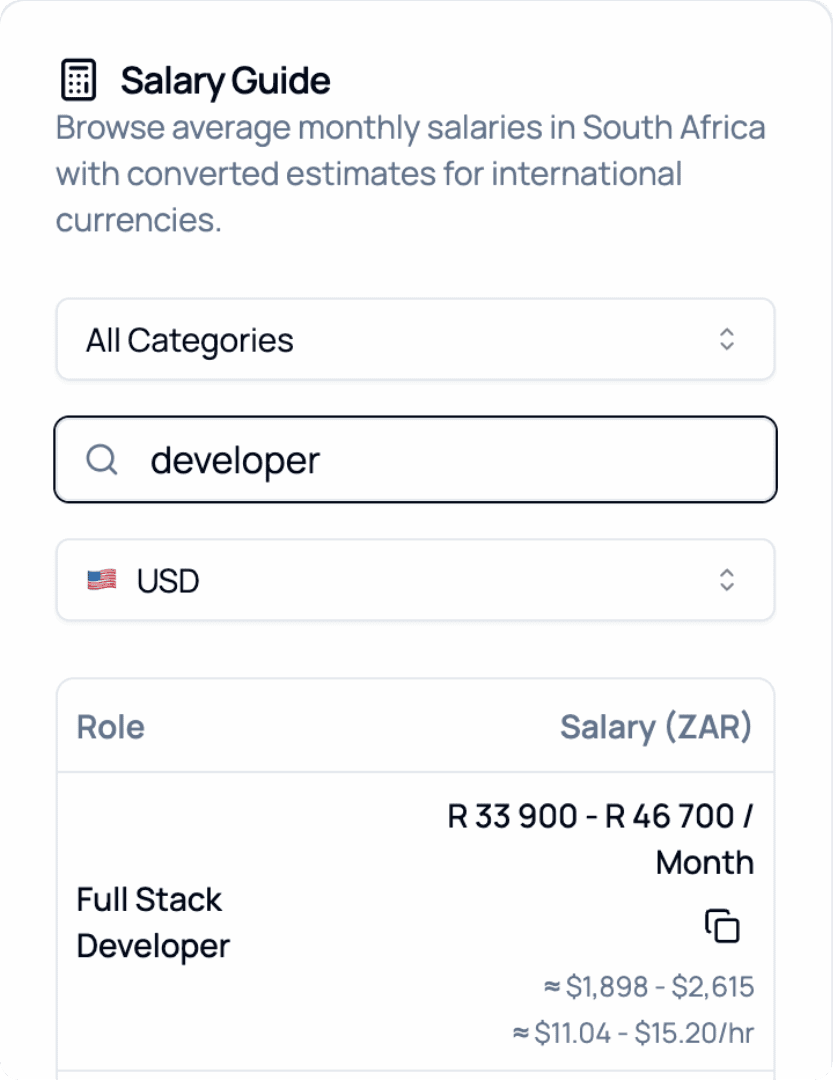
2026 Salary Guide: South Africa
Discover South African Salaries by Role. Compare costs and see how much you can save.